



 Github Stars:
 Last Commit:
  Created:
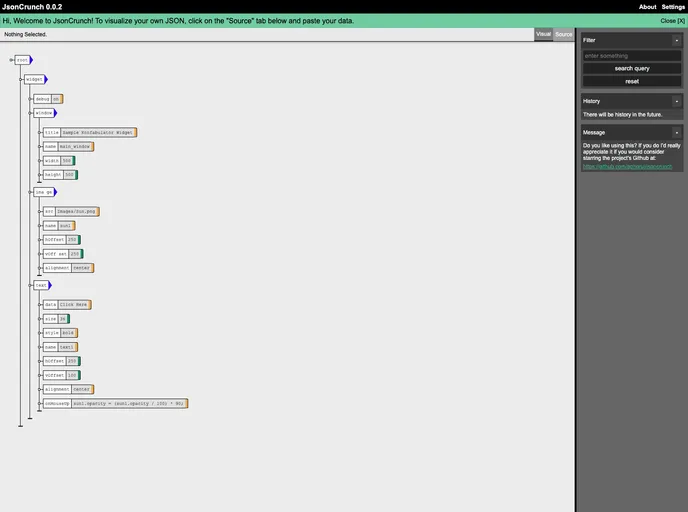
Overview
JsonCrunch is an innovative tool designed specifically for viewing, transforming, and querying JSON data. Tailored for users dealing with small to medium-sized JSON files, it streamlines the process of manipulating data without the need for complex scripts. In a world where GUI tools for JSON editing are scarce, JsonCrunch fills a significant gap by providing a user-friendly interface that simplifies the interaction with JSON data.
This tool emerges from the common frustrations faced by developers and data analysts who often resort to scripting for simple tasks. JsonCrunch not only enables quick access to JSON files but also intelligently detects common patterns within the data, presenting it in a structured manner that enhances usability. Whether you need to filter through JSON documents based on specific criteria or just view your data in a more digestible format, JsonCrunch has you covered.
Features
- User-Friendly Interface: Easily navigate and manipulate JSON data without writing scripts, thanks to an intuitive graphical interface.
- Automatic Pattern Detection: JsonCrunch identifies common idioms found in JSON files, presenting them in a convenient and understandable form.
- Flexible Querying: Quickly filter through JSON documents based on member paths, keys, values, and types for effective data retrieval.
- Local Hosting: Setup is straightforward, allowing users to run a local server and access the application via a simple terminal command.
- Cross-Platform Compatibility: Requires NodeJS and NPM, making it easily accessible on various operating systems.
- Open Source: Released under the AGPLv3 license, JsonCrunch fosters community collaboration and development, inviting enhancements and contributions.
- Installation Made Easy: Simple instructions for installation and setup ensure that users can get started without hassle.




















































