



 Github Stars:
 Last Commit:
  Created:



Overview:
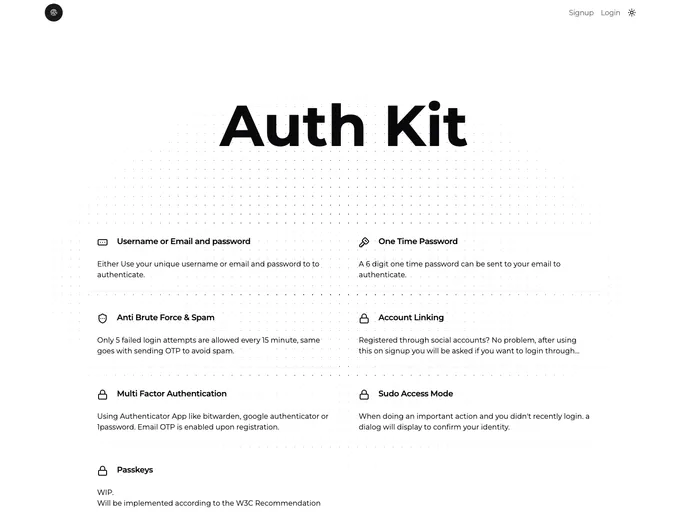
Auth Kit is an Authentication Base Application built with SvelteKit. It utilizes libraries like Drizzle ORM, Lucia v3, Sveltekit-Superforms, and Shadcn-svelte to offer a complete authentication solution. The application aims to provide features for user registration, login, rate limiting, onboarding processes, and potentially an admin dashboard with demo dashboard apps.
Features:
- Registration: Email is required for registration, followed by a confirmation email.
- Login: Users can login using username/email and password, or via OTP.
- Rate Limiting: Restricts OTP sending and wrong OTP verification to 5 attempts every 15 minutes.
- Onboarding: Includes steps like Welcome, Update Account, Select Tier Subscription, Select Payment Method, and Finished Section.
- Documentation: Potentially includes a guide for changing the database to Postgres or Mariadb.
- Admin Dashboard: A feature to manage backups and other operations.
- Demo Dashboard Apps: Features like AI Prompt, Customer Manager + Invoices, Chat Application, and File Manager (Google Drive like).
Installation:
To start the development server, run the following command:
npm run dev
For environment setup, create a bucket and obtain credentials from your storage provider. You can read more about it here. Create a database using Postgres, neon, vercel, or run your own in a container for development. For deployment, a Dockerfile is included but work in progress.
Summary:
Auth Kit is a comprehensive authentication application built with SvelteKit and utilizes various libraries to offer a secure registration and login process, rate limiting functionalities, and an onboarding experience. The application also aims to provide an admin dashboard and various demo dashboard apps for additional functionalities. The installation process involves starting the development server, setting up environments, and potentially deploying using a Dockerfile.



















































