



 Github Stars:
 Last Commit:
  Created:
Overview
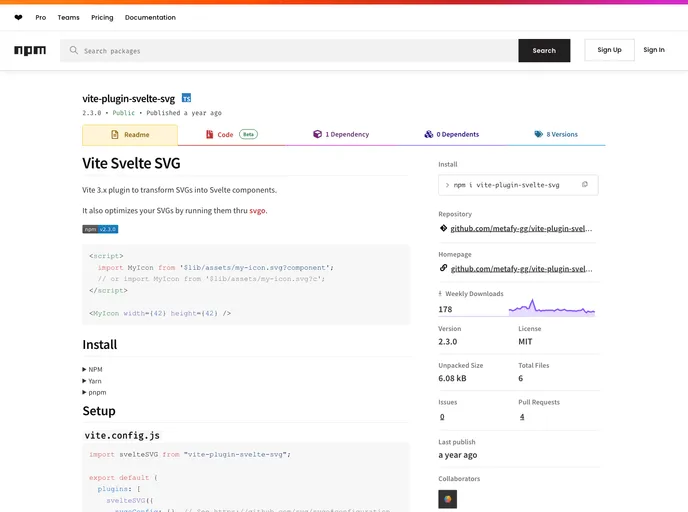
The Vite Svelte SVGVite 3.x plugin is designed to transform SVGs into Svelte components and optimize them using svgo. It operates as a plugin for Vite, a web development build tool, and provides an easy way to incorporate SVGs into Svelte projects.
Features
- SVG Transformation: The plugin allows SVG files to be transformed into Svelte components, making them easier to manage and use within Svelte projects.
- SVGO Optimization: The plugin optimizes SVGs by running them through the svgo optimization tool. This helps to reduce file size and improve performance.
- Integration with Vite: The plugin seamlessly integrates with Vite, a fast and efficient build tool for modern web development. This ensures smooth operation and compatibility with existing Vite projects.
Installation
To install the Vite Svelte SVGVite 3.x plugin, follow these steps:
- Make sure you have Node.js installed on your machine.
- Open your project directory in a terminal.
- Run the following command to install the plugin:
npm install vite-plugin-svelte-svg
- Once the installation is complete, add the plugin to your Vite configuration file (
vite.config.js) as follows:
import { defineConfig } from 'vite';
import svgs from 'vite-plugin-svelte-svg';

export default defineConfig({
  // ... other Vite configuration options
  plugins: [
    svgs(),
  ],
});
- Save the configuration file and restart your Vite development server. The plugin should now be active and ready to use.
Summary
The Vite Svelte SVGVite 3.x plugin is a valuable tool for Svelte developers who want to incorporate SVGs into their projects. By transforming SVGs into Svelte components and optimizing them with svgo, the plugin improves performance and simplifies the management of SVG assets. With seamless integration with Vite, this plugin provides an easy and efficient solution for working with SVGs in Svelte projects. The plugin is open source and licensed under the MIT license.




















































