



 Github Stars:
 Last Commit:
  Created:






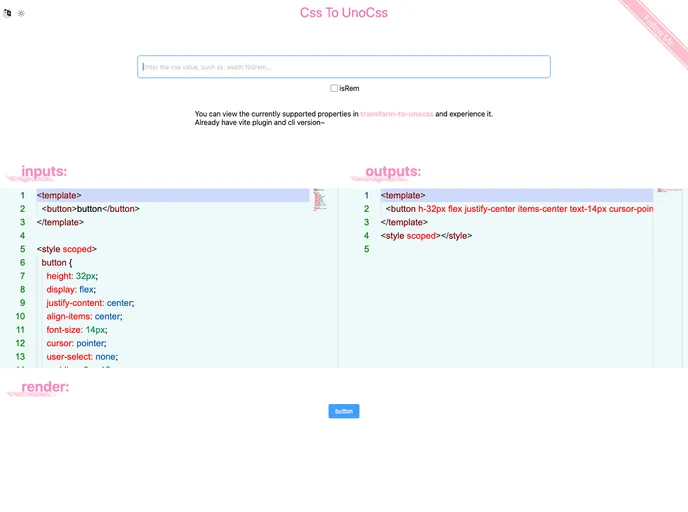
Overview
This product analysis focuses on a tool named Unocss, which supports CSS in various file formats and offers features like converting Sass, Less, and Stylus. It is compatible with build tools like Vite, Rollup, webpack, and Vue-cli, and comes with a VS Code extension. Additionally, there is a feature called transform-to-unocss-core for converting CSS to Unocss on the browser side.
Features
- CSS Support: Unocss supports CSS in multiple file formats like
.html,.tsx,.vue,.astro, and.svelte. - Preprocessor Conversion: Users can convert Sass, Less, and Stylus to Unocss using this tool.
- Build Tool Compatibility: Unocss is compatible with build tools such as Vite, Rollup, webpack, and Vue-cli.
- VS Code Extension: An extension for VS Code is available for working with Unocss.
- transform-to-unocss-core: This feature enables the conversion of CSS to Unocss directly on the browser side.
Installation
To install Unocss, you can follow these steps:
- Install via npm:
npm install @unocss/cli
- Using yarn:
yarn add @unocss/cli
Summary
Unocss is a versatile tool that provides support for various CSS file formats, offers conversion capabilities for popular preprocessors, and is compatible with several build tools. Its VS Code extension enhances the development experience, while the transform-to-unocss-core feature adds the ability to convert CSS to Unocss directly in the browser. With its diverse range of features, Unocss proves to be a valuable asset for developers looking to streamline their CSS workflows.
















































